


 RU
RU
Eamon Wayne
Senior Market Analyst and CEX Strategist
•
19 Articles
856
3 min
To work with TR.ENERGY, you need to connect a wallet that holds the funds for TRX staking. After connecting your wallet, you will need to grant permissions for energy management.
Please note: you are delegating ONLY energy management rights, not access to your TRX.
To connect your wallet to TR.ENERGY, follow these steps:
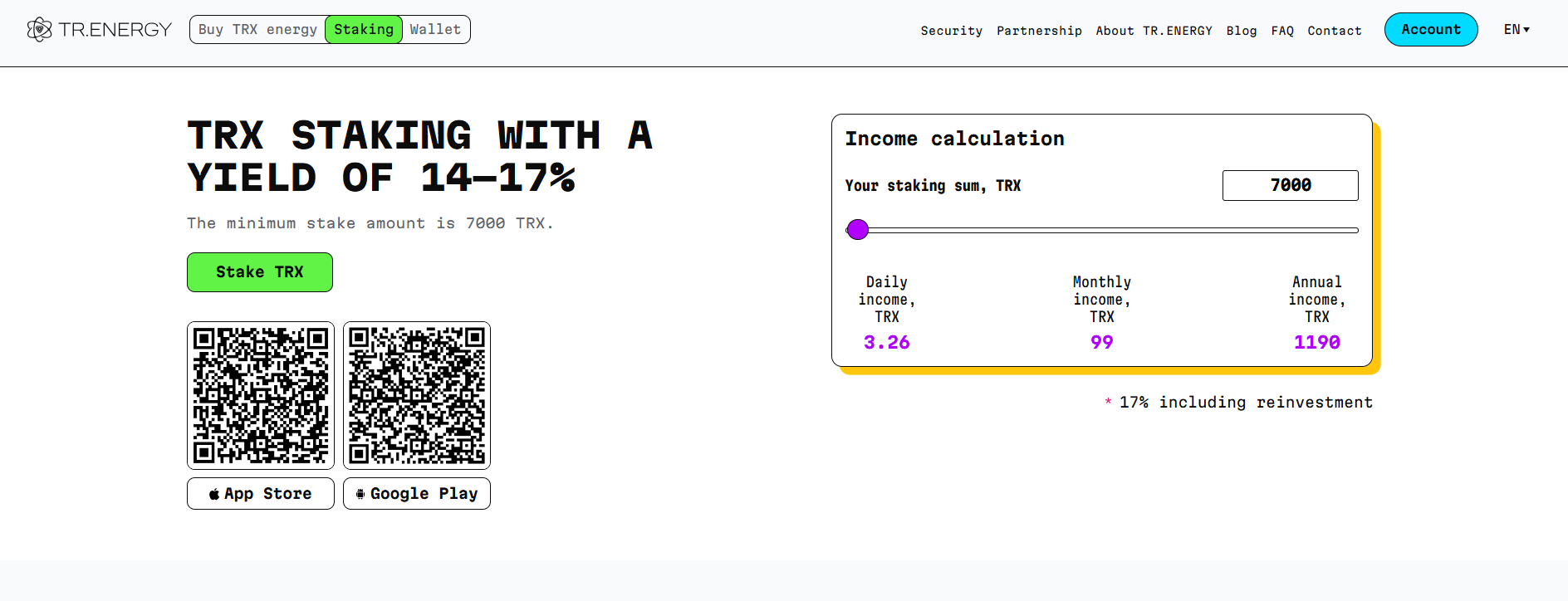
- Go to the staking page: https://tr.energy/en/staking-tron/
- In the upper right corner, click "Account"
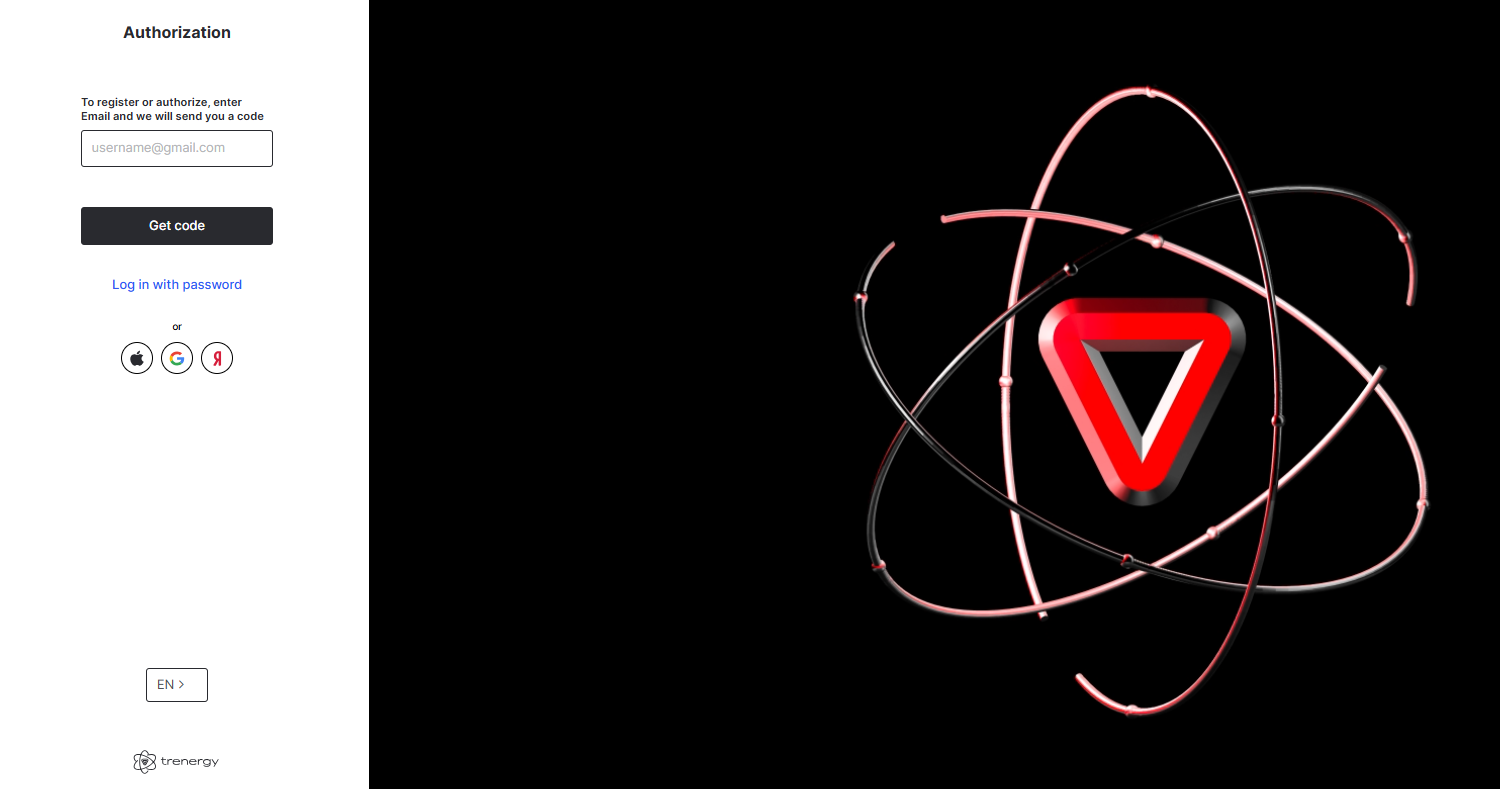
- Enter your email address
- Click "Get code"
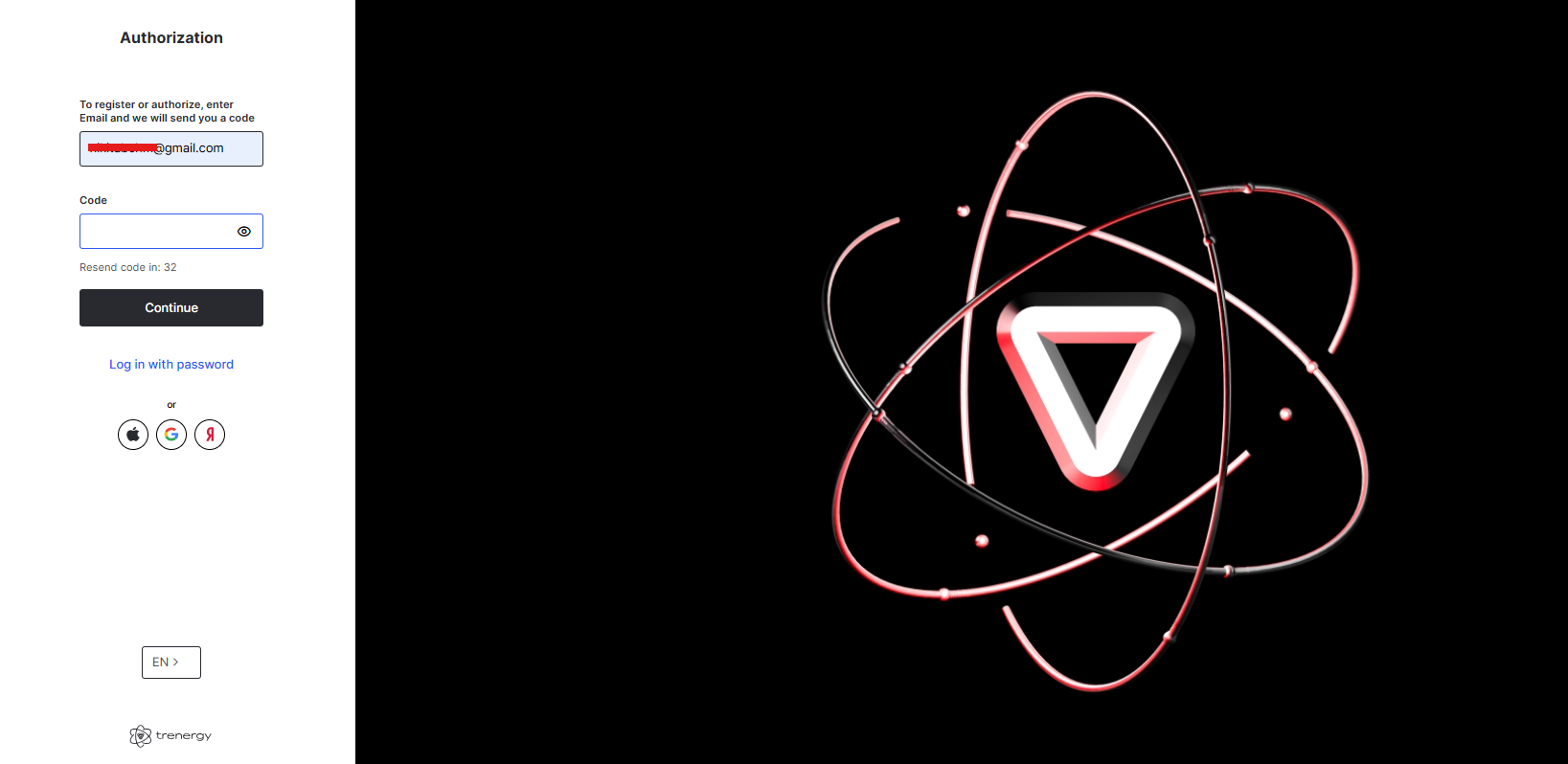
- Go to your email inbox and copy the verification code
- Paste the code on the TR.ENERGY registration page
- Click "Continue"
- If you have a referral code, you can enter it on the next screen. If not, click "Skip"
After registration, you'll be guided through a short onboarding tutorial. Once completed, you can proceed to connect your wallet to TR.ENERGY:
- In your personal account, click "Connect wallet"
- Choose your wallet provider, for example "TronLink"
- Click "Connect" to link your wallet
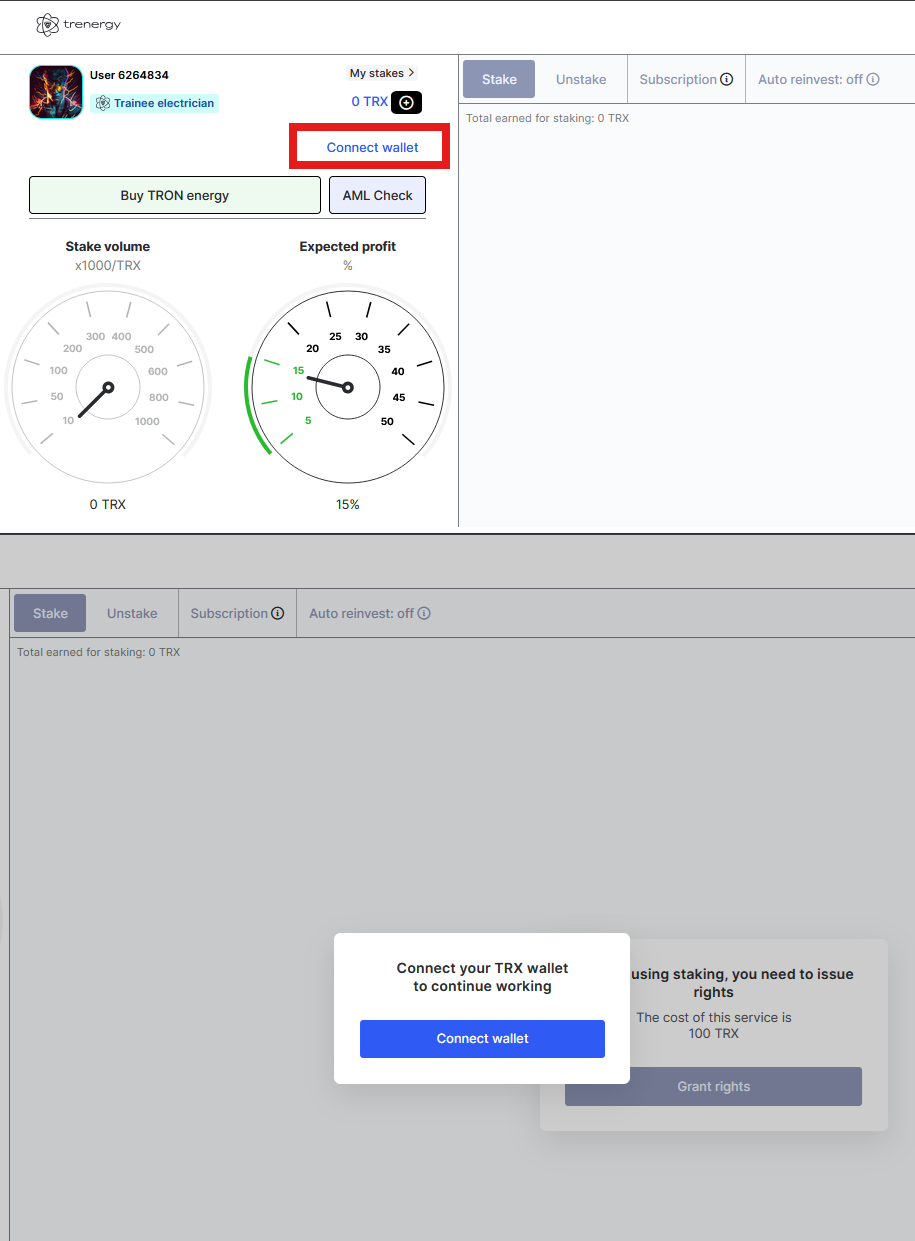
Now you need to grant permissions for TR.ENERGY:
- Click "Grant rights"
- Sign the transaction in your wallet by clicking "Sign"
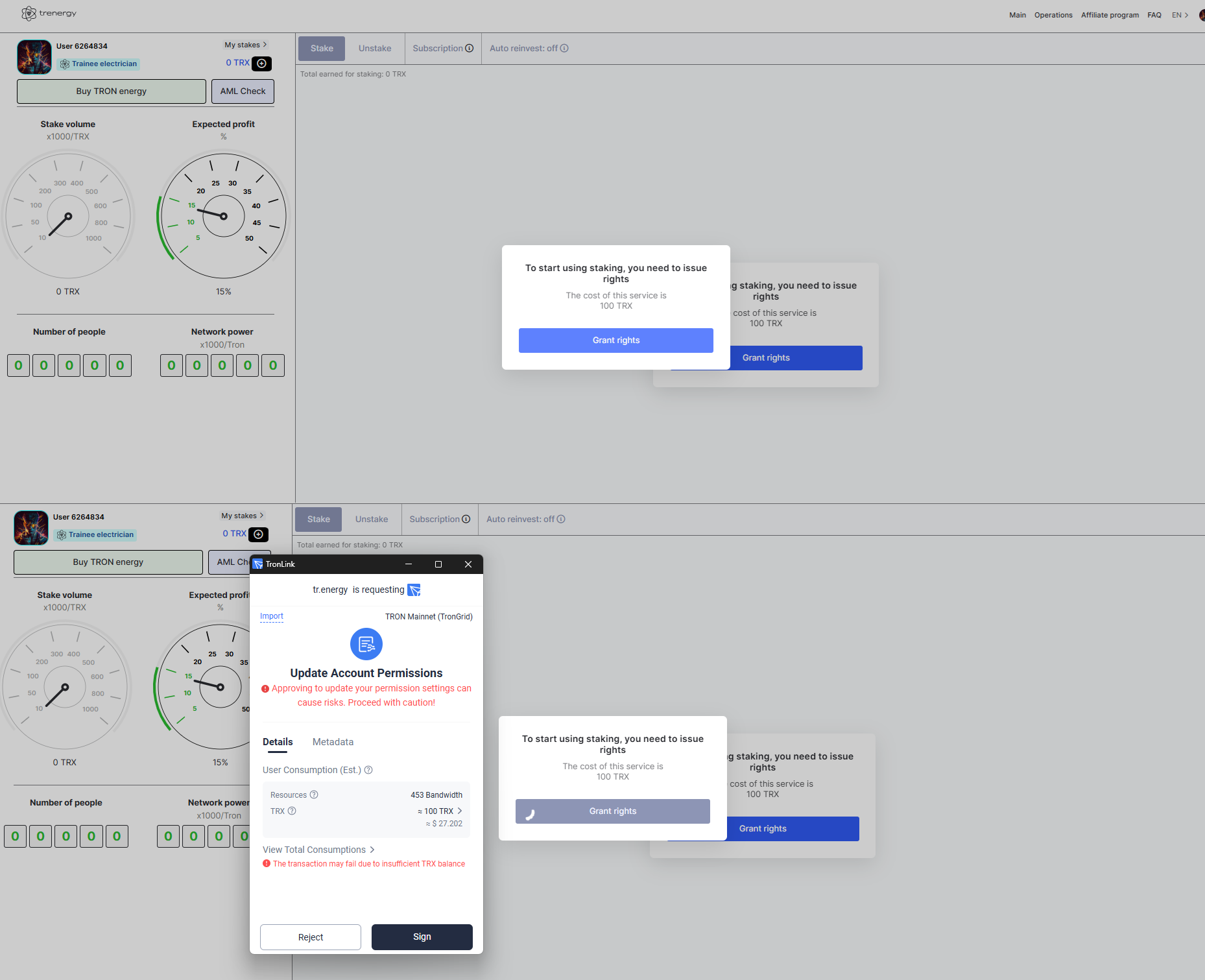
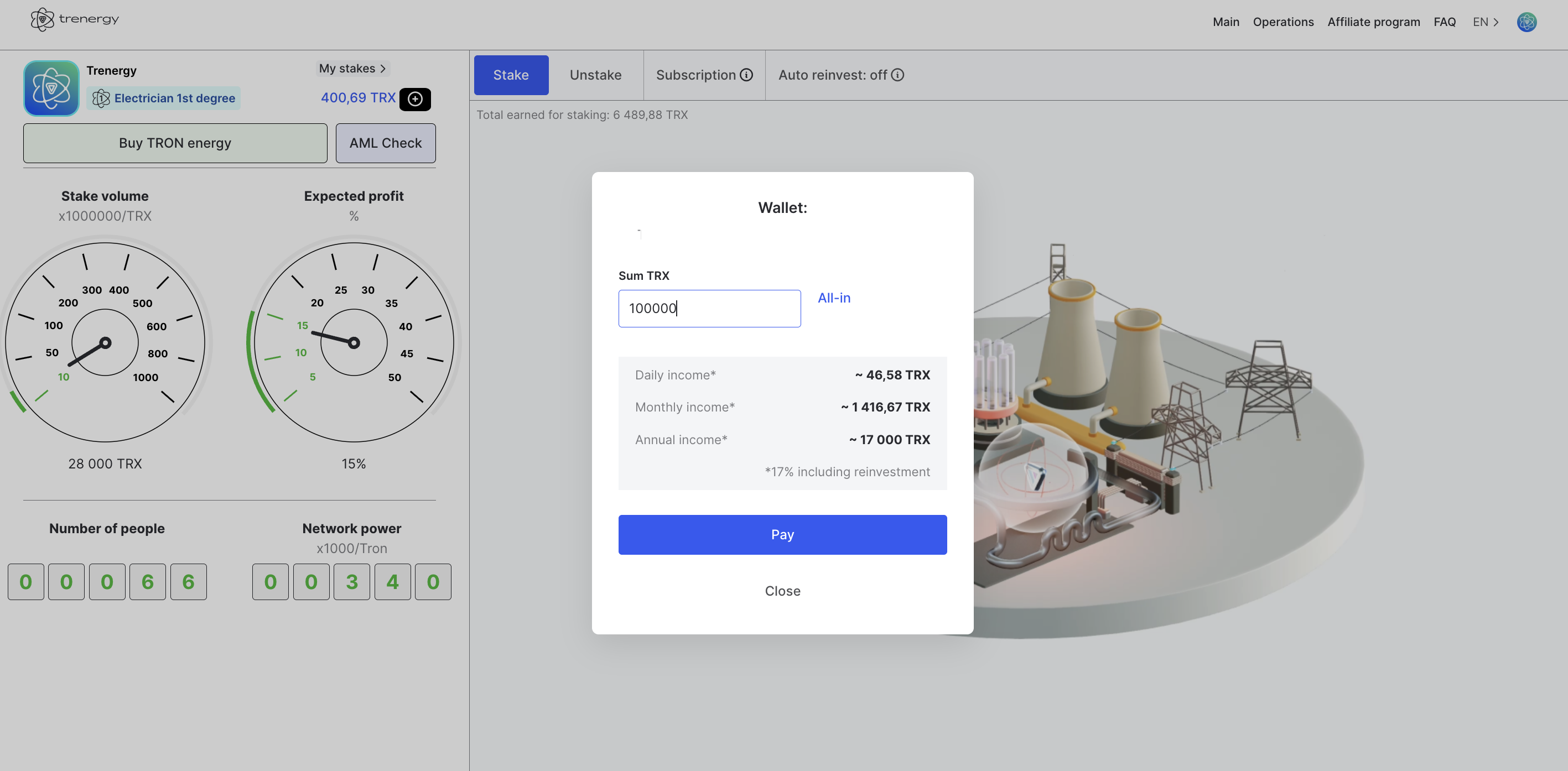
Now you can start staking TRX:
- In your account, click "Stake"
- Enter the minimum amount: 7000 TRX
- Click "Pay"
- After that, your TRX will be staked via TR.ENERGY
Author
Eamon Wayne
Senior Market Analyst and CEX Strategist
•
19 Articles
Specializing in the TRON ecosystem and in-depth analysis of TRX staking, energy rental, and USDT TRC‑20 fee optimization. I help users and businesses efficiently manage digital assets, delegate energy, and work with non-custodial wallets.